
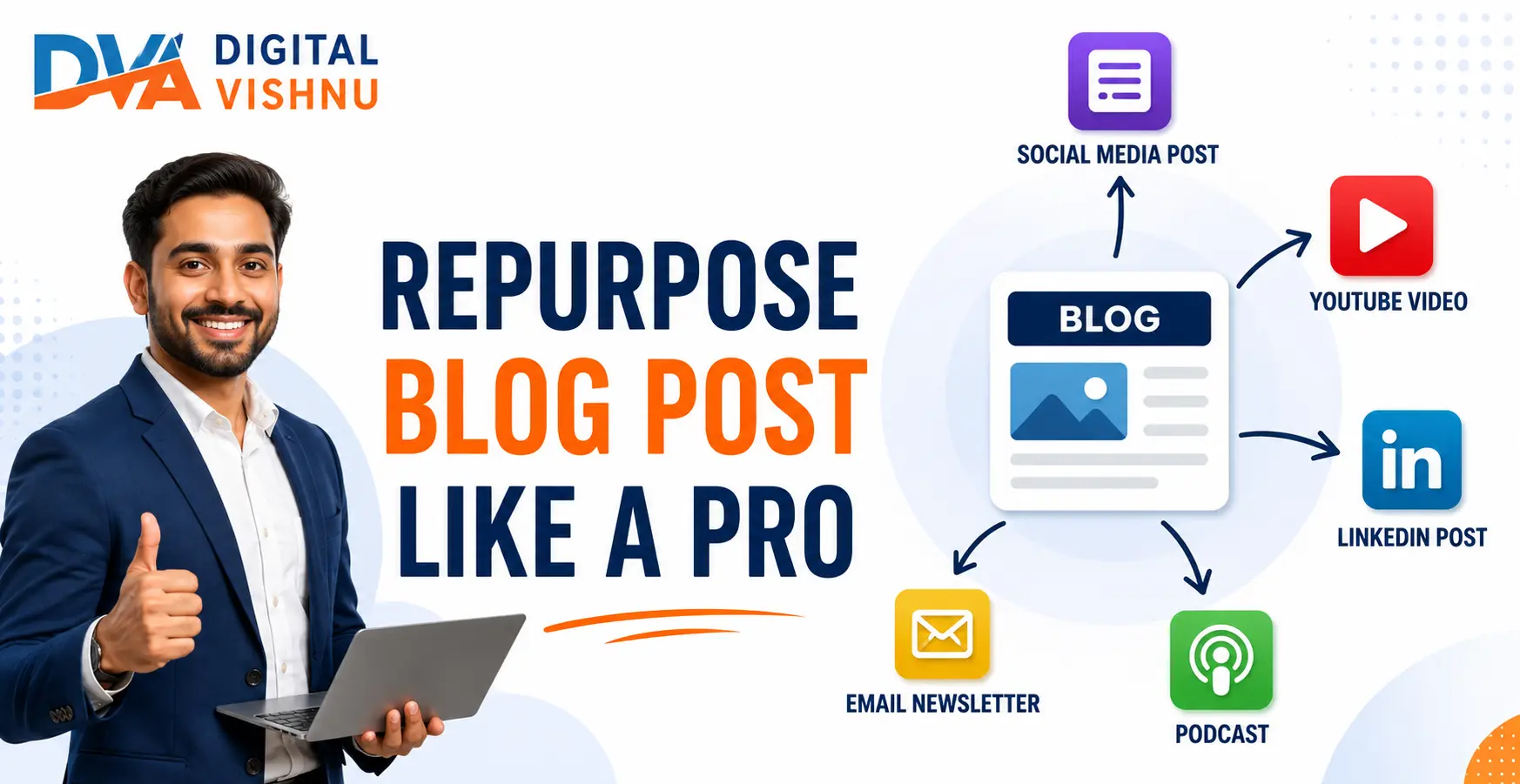
Content repurposing means taking one piece of original content and adapting it into different formats for different platforms and audiences. From a single well-written blog post, you can create short videos, social media posts, email newsletters, carousels, infographics, and more without starting from scratch each time. This guide shows you exactly which 10 content pieces you can create from one blog post and how to produce each one efficiently.
Key Takeaways
- One strong blog post can supply weeks of content across social media, email, video, and more
- Repurposing is not copy-pasting. Each format needs to be adapted to feel native to the platform it goes on
- Start with your best-performing or most evergreen blog posts, not your newest ones
- You do not need to produce all 10 formats at once. Pick 3 to 4 to start and add more as your workflow improves
What is Content Repurposing and Why Does It Matter?
Content repurposing is the process of adapting one original piece of content into new formats for different platforms and audience types. It matters because different people consume information in different ways. Some prefer reading long articles. Others prefer watching 60-second videos. Others prefer visual carousels on Instagram. Repurposing lets you reach all of these audiences with the same core idea, without writing something entirely new for each channel.
The problem most business owners and content creators face is not a shortage of ideas. It is a shortage of time. Creating entirely new content for every platform every day is not realistic for one person or a small team. Repurposing solves this by multiplying the output from each piece of original work you create.
According to Sprout Social’s guide on content repurposing, repurposing extends the life of your content and allows it to reach audiences who may never have encountered the original piece. A reader who found your blog post through Google search may never see your Instagram. But if you turn that post into a Reel, you reach them where they actually spend their time.
Repurposing also reinforces your message through repetition across channels. A person who sees the same key insight in a blog post, a carousel, and a LinkedIn article is far more likely to remember your brand and your point of view than someone who saw it only once.
If you are still at the stage of writing your first blog posts, our guide on how to write a blog post that ranks on Google is the right starting point before you begin repurposing your content.
Which Blog Posts Should You Repurpose First?
Repurpose your best-performing and most evergreen blog posts first. Evergreen content covers topics that remain useful for months or years, such as how-to guides, beginner tutorials, frequently asked questions, and comparison posts. High-traffic posts are already proven to resonate with an audience, which means the repurposed versions are more likely to perform well too. Avoid repurposing posts that are tied to a specific news story or time-sensitive event.
Before you pick a post to repurpose, ask yourself three questions:
- Does this post answer a question my audience asks regularly? If yes, it is worth repurposing.
- Will this content still be accurate and useful six months from now? If yes, it is evergreen and a strong candidate.
- Does this post have at least 5 clear takeaways or points? If yes, it has enough material to generate multiple formats without stretching thin.
A post that answers a question like “How does SEO work?” or “What is email marketing?” or “How do I create a content calendar?” is ideal. These are foundational topics that new readers will always need, which means repurposed versions will continue driving traffic and engagement long after the original post was published.
The 10 Pieces of Content You Can Create from One Blog Post
From a single comprehensive blog post of 1,500 words or more, you can extract 10 distinct content pieces across video, social media, email, audio, and visual formats. The blog post supplies the research, the structure, and the core ideas. Your job is to translate each element into a format that feels natural on the platform it is published to, not simply copy-paste text from the post.
1. Short-Form Video (Instagram Reel or YouTube Short)
Take one key point from your blog post and turn it into a 30 to 60 second video. You do not need to summarise the entire post. Pick the single most useful tip or insight and explain it clearly on camera or with on-screen text. End with a line that tells viewers where to find the full guide. This is the most powerful repurposing format for organic reach in 2026. Our guide on using Reels for business marketing covers the production process in detail.
2. Instagram Carousel Post
Pull the 5 to 7 main points from your blog post and turn each one into a single slide. Slide 1 is the hook (a bold statement or question). Slides 2 to 6 each cover one point from the post in one or two sentences. The last slide is a CTA directing viewers to the full blog post. Carousels are shared more than single-image posts and encourage saves, which signals the algorithm to show the post to more people.
3. LinkedIn Article or LinkedIn Text Post
LinkedIn favours long-form professional content. Write a 600 to 1,000 word article based on your blog post, rewritten in a more professional and personal tone. Share one experience or observation at the start before going into the advice. Alternatively, create a short text post (under 300 words) that shares one insight from the post and ends with a direct question to encourage comments.
4. Email Newsletter
Digital Vishnu Academy
Join 500+ Students Already Building Their Digital Marketing Career
Live projects. AI tools. 100% placement support. Batches in Coimbatore and online.
Turn the blog post into a 400 to 600 word email for your subscriber list. Do not paste the entire blog post into the email. Instead, share the three most important insights in plain, conversational language. End with a link to the full post for subscribers who want the complete detail. An email newsletter version of your blog content reaches your warmest audience, the people who already trust you enough to give you their email address.
5. YouTube Tutorial Video
If your blog post is a how-to guide or step-by-step tutorial, record a longer video of 8 to 15 minutes that walks through the same process on screen. The blog post becomes your script outline. Use your headings as the video’s chapter markers. Publish it on YouTube with the same keyword in the title and description. This is the long-form video counterpart to the short Reel from Format 1. Learn more about building this into your strategy in our video content marketing guide.
6. Twitter / X Thread
Take the numbered list or key steps from your blog post and turn them into a thread. Tweet 1 states the main promise or insight. Tweets 2 through 8 or 9 each cover one point in one to two sentences. The final tweet links to the full post. Threads perform well for informational content and are frequently shared by readers who want to bookmark the insight for later.
7. Quote Graphics for Instagram, WhatsApp Status, or LinkedIn
Pull 3 to 5 strong, standalone sentences from your blog post. These are lines that make sense on their own without the rest of the article. Design each as a simple quote graphic using Canva. Use your brand colours and a clear font. Post one per day or one per week. This stretches your content across many more days without requiring additional writing.
8. Infographic or Summary Visual
If your blog post has a structured process, comparison, or list, it can become an infographic. Use Canva or a similar free design tool to lay out the steps or points visually. An infographic is easy to save, pin on Pinterest, and share in WhatsApp groups. It works particularly well for step-by-step guides and comparison frameworks.
9. Pinterest Pin
Pinterest is a visual search engine with a long content life. A Pin created from your blog post can drive traffic for months or years after it is published. Create a vertical image (1000 x 1500 pixels works well) with a clear headline from your blog post, a short description, and the URL of the original post. Pinterest audiences are especially receptive to practical guides, how-to content, and educational infographics.
10. Podcast Script or Audio Post
Read your blog post as a structured audio recording, or use it as the basis for a solo podcast episode. A 1,500 word blog post takes approximately 10 to 12 minutes to read aloud. Add a brief introduction and a CTA at the end and you have a standalone audio episode. If you do not have a podcast, record it as an audio clip and share it as a LinkedIn post or WhatsApp voice message series for your subscribers.
How to Build a Simple Repurposing Workflow
A repurposing workflow is a repeatable process you follow each time you publish a new blog post. Without a system, repurposing feels like extra work on top of already writing the blog. With a system, it becomes a checklist you run through in one or two sessions after the post goes live. The goal is to decide, in advance, which formats you will produce from every post and schedule them into your content calendar so they are distributed over the following two to three weeks.
- Choose the post and identify 5 key takeaways. After publishing, read the post and write down the 5 most useful standalone points. These become the foundation for multiple formats.
- Decide which 4 to 5 formats you will produce. Do not try to create all 10 at once. Start with formats that are native to the platforms your audience uses most. For most Indian business owners and creators, this means a Reel, an Instagram carousel, a LinkedIn post, and an email newsletter.
- Assign each format to a day in your content calendar. Spread the repurposed content over 2 to 3 weeks after the blog post goes live. This gives you a steady stream of content without needing to create new ideas every day. Our 30-day content calendar guide has a template that works directly with this kind of repurposing workflow.
- Produce in batches where possible. Write all the LinkedIn and Twitter posts in one sitting. Design all the quote graphics in one Canva session. Record all your short videos in one filming block. Batching reduces context-switching and saves significant time.
- Track which repurposed formats perform best. After one month, check which formats drove the most engagement, saves, or clicks back to your blog. Double down on the formats that worked and deprioritise those that did not.
Repurposing by Platform: A Quick Reference
Different platforms reward different formats and lengths. What works on Instagram will not work if you copy it directly to LinkedIn. The table below shows which format works best on each platform, the ideal length, and what the format is best suited for, so you can choose the right approach for each channel without guessing.
| Platform | Best Repurposed Format | Ideal Length | Best For |
|---|---|---|---|
| Reel or Carousel | 30 to 60 seconds / 5 to 8 slides | Growing audience, brand awareness | |
| YouTube | Tutorial video or YouTube Short | 8 to 15 minutes / 60 seconds | Education, long-term search traffic |
| Text post or article | 200 to 300 words / 600 to 1,000 words | Professional audience, B2B, career | |
| Newsletter or curated send | 300 to 600 words | Warm audience, conversions, trust | |
| Vertical infographic or pin image | 1000 x 1500 pixels | Long-term discovery, evergreen traffic | |
| Twitter / X | Thread | 5 to 10 tweets | Quick reach, idea sharing, bookmarking |
Repurposing Mistakes That Reduce Results
The most common repurposing mistake is treating it as copy-pasting. Pasting your blog post directly into a LinkedIn update, emailing it word-for-word to your subscribers, or posting the same text across all platforms produces weak results because each platform has its own tone, format, and audience expectations. Repurposed content must be adapted, not duplicated. The idea stays the same. The presentation changes entirely.
- Copy-pasting without adapting: A blog post reads differently from a LinkedIn post, a Reel script, or an email. Each format has its own pace and structure. Repurposing means rewriting for the platform, not duplicating the text.
- Repurposing weak content: Repurposing amplifies what already exists. If the original blog post is thin, poorly researched, or generic, the repurposed versions will also underperform. Start with your strongest content.
- Trying to do all 10 formats at once: Starting with 10 simultaneous formats is a path to burning out quickly. Choose 3 or 4 formats that are most relevant to where your audience is, execute them well, and expand from there.
- Repurposing without a schedule: If you create repurposed content but do not publish it on a schedule, it piles up unposted or gets published all at once. Schedule each format into your content calendar in advance so it is distributed steadily over time.
- Not tracking what works: After one month of repurposing, check your analytics. Which format drove the most saves, shares, or traffic back to your blog? Use that data to decide which formats to prioritise in the next month.
Frequently Asked Questions
What does it mean to repurpose a blog post?
Repurposing a blog post means taking the research, ideas, and structure from an existing post and adapting it into different content formats for different platforms. The original post is not changed. Instead, you extract key points and present them as a Reel, a carousel, a newsletter, or another format that suits the platform and its audience’s preferred way of consuming information.
How many pieces of content can I create from one blog post?
A single comprehensive blog post of 1,500 words or more can generate 10 or more individual pieces of content across video, social media, email, and visual formats. In practice, most content creators start with 3 to 5 formats and expand their repurposing workflow as they build a consistent system. The quality of each repurposed piece matters more than the total number of formats produced.
Is repurposing content the same as duplicate content?
No. Duplicate content means publishing the same text at multiple URLs on a website, which can affect how search engines crawl and rank your pages. Content repurposing means adapting an idea into different formats for different platforms, each with its own presentation, tone, and structure. A LinkedIn post based on your blog is original content for LinkedIn, not a copy of your website.
Which blog posts are best for repurposing?
Evergreen how-to posts, beginner guides, step-by-step tutorials, frequently asked question posts, and comparison articles make the best repurposing candidates. These posts stay relevant over time, answer questions people always have, and contain clearly structured points that translate naturally into carousels, videos, and threads. Avoid repurposing news-based or time-sensitive posts that will lose relevance quickly.
Do I need to credit the original blog post in repurposed content?
You own both the original post and the repurposed content, so no formal credit is required. However, it is a useful practice to link back to the original blog post in your repurposed social media posts, emails, and videos. This drives traffic to your website, improves time-on-site metrics, and gives your audience a place to go for the full, detailed version of what you have summarised in the shorter format.
How much time does content repurposing take?
Repurposing one blog post into 4 to 5 formats typically takes 1.5 to 3 hours when done in a dedicated batch session. The writing formats (LinkedIn post, email, Twitter thread) are the fastest, usually 15 to 30 minutes each. The visual formats (carousel, infographic) take 30 to 60 minutes. Recording a short Reel takes 20 to 40 minutes once you are comfortable on camera. The time investment decreases significantly as your workflow becomes routine.
Should I repurpose old blog posts or only new ones?
Repurpose both. Old evergreen posts that consistently bring in organic search traffic are often the most repurposing-worthy content you own, because they have already proven their value. After repurposing an old post, update it with current information to ensure the full version matches the quality and accuracy of your newer work.
One Blog Post, Multiple Opportunities
Every blog post you write is the starting point, not the finished product. The research, the structure, the insights, and the examples inside that post have value far beyond the readers who find it through Google. Repurposing is how you deliver that value to the people on Instagram, LinkedIn, YouTube, Pinterest, and your email list who will never read the original article.
Start small. Pick your best blog post. Choose three formats. Block out two hours. Create and schedule the repurposed pieces. That is the entire first step. Once you do it once, the workflow gets faster every time.
If you want to learn how to build a full content marketing strategy that includes writing, repurposing, and distributing content across digital channels, explore the digital marketing course at Digital Vishnu Academy in Coimbatore. You will work on real content projects with expert guidance so the skills transfer directly to your business or career.
Related Articles
