
Email automation is the practice of sending emails automatically based on a subscriber’s actions, behaviour, or a set schedule, without you pressing send each time. You build a workflow once, define what triggers it, write the emails, set the timing, and the system runs it for every new subscriber on its own. This guide explains how it works, which workflows to build first, and how to set up your first automation step by step.
Key Takeaways
- Automated emails achieve an average open rate of 30.63%, compared to 20.73% for standard campaigns, according to MailerLite benchmark data
- You do not need to code anything. Most email tools have a visual drag-and-drop workflow builder
- The welcome sequence is the single most important automation to build first. It engages subscribers at the moment of peak interest
- Free tools like Brevo and MailerLite include automation on their free plans, so you can start without any budget
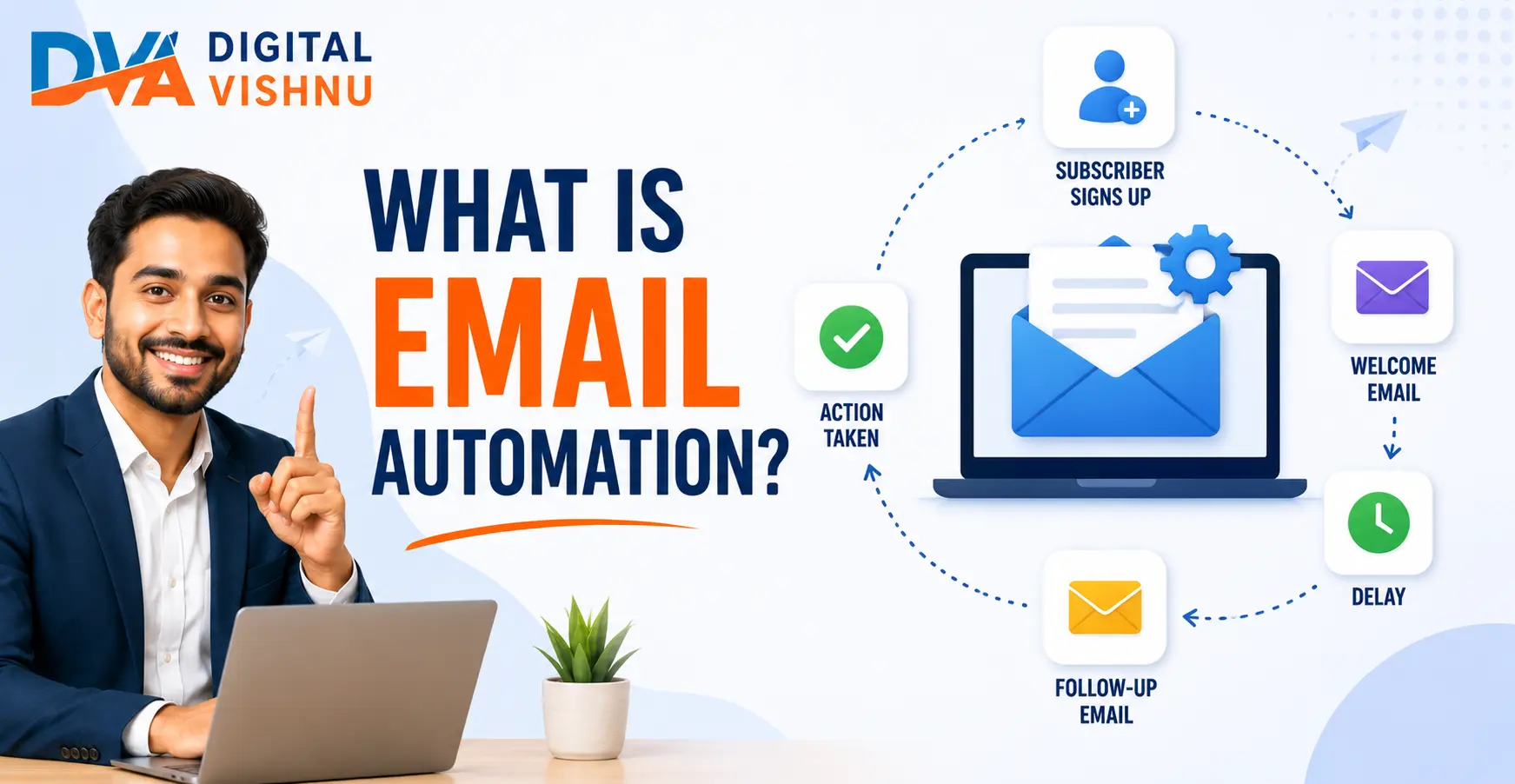
What is Email Automation?
Email automation is a feature inside your email marketing tool that sends pre-written emails to subscribers automatically when a specific trigger happens. The trigger could be a sign-up, a link click, a date, or a period of inactivity. Once you build the workflow, every subscriber who meets the trigger conditions receives the right email at the right time, with no manual effort from you.
Think of email automation as a team member who works 24 hours a day without a break. When someone joins your list at 2 am, the welcome email goes out within seconds. When a subscriber has not opened your emails in 90 days, the re-engagement email gets sent automatically. You set the rules once and the system handles every individual interaction from that point on.
This is very different from a regular email campaign, which you write and send manually to your entire list at one time. Automation is personal and behavioural. It responds to what individual subscribers actually do rather than broadcasting the same message to everyone at once.
If you are new to email marketing in general, start with the basics first. Our guide on email marketing for beginners covers how to build your first list and set up your initial sign-up form before you move into automation.
How Email Automation Works: Triggers, Conditions, and Actions
Every email automation workflow has three components: a trigger that starts the sequence, conditions that define what happens next based on the subscriber’s behaviour, and actions that are the actual emails sent. Together, these three components create a workflow that responds intelligently to each subscriber rather than treating everyone the same way.
Here is how these three components work together in practice:
- Trigger: The event that starts the workflow. Common triggers include subscribing to your list, downloading a lead magnet, clicking a specific link, completing a purchase, or not opening any email for 60 days.
- Condition: A rule that splits subscribers into different paths based on their behaviour. For example: Did the subscriber open Email 1? If yes, send Email 2A. If no, send Email 2B with a different subject line.
- Action: The actual email the system sends, along with the timing. For example: send immediately, wait 3 days, send the next email, wait 4 more days, send the final email.
A simple example of a complete workflow:
- Trigger: Someone fills in your sign-up form and subscribes
- Action: Send Email 1 immediately (welcome email and lead magnet delivery)
- Wait 3 days
- Action: Send Email 2 (one useful tip related to your topic)
- Condition: Did the subscriber open Email 2?
- If yes: Wait 4 days, then send Email 3 (introduce your product or service)
- If no: Wait 4 days, then send an alternate Email 3 with a different subject line
This if-then logic is what makes automation so much more effective than a standard broadcast email. Each subscriber gets a tailored experience based on how they actually respond, not a one-size-fits-all message.
The 5 Most Useful Email Automation Workflows for Beginners
The five automations every beginner should build are: a welcome sequence, a lead magnet delivery sequence, a post-enquiry follow-up, an educational drip sequence, and a re-engagement campaign. You do not need to build all five at once. Start with the welcome sequence, which is the highest-value automation for any business or creator, and add the others as your list and confidence grow.
1. Welcome Sequence
Triggered when someone subscribes to your list. This is the most important automation you can build. Subscribers are at their most interested and most likely to engage immediately after signing up. A 3-email welcome sequence (Day 1: welcome and delivery, Day 3: value tip, Day 7: soft introduction to what you offer) sets the tone for the entire relationship.
2. Lead Magnet Delivery Sequence
Triggered when someone downloads a specific free resource from your website. The first email delivers the file or link immediately. A second email 2 to 3 days later checks in and offers a related resource. This keeps the subscriber engaged beyond the initial download moment.
3. Post-Enquiry Follow-Up
Digital Vishnu Academy
Join 500+ Students Already Building Their Digital Marketing Career
Live projects. AI tools. 100% placement support. Batches in Coimbatore and online.
Triggered when someone fills in a contact form or books a demo session. The automation sends an immediate confirmation, a follow-up with relevant information about what to expect, and a final nudge if no response is received. This is especially useful for service businesses, coaching practices, and training institutes.
4. Educational Drip Sequence
A series of 5 to 10 emails that teaches subscribers one concept per email, spaced a few days apart. Each email is self-contained and educational. The sequence ends with a relevant CTA. This works well for course creators, trainers, and consultants who want to build authority and trust before asking for a sale.
5. Re-engagement Campaign
Triggered when a subscriber has not opened any of your emails in the past 60 to 90 days. Send 2 to 3 emails with a compelling subject line and a direct value offer. If the subscriber still does not engage, remove them from your active list. Re-engagement campaigns protect your sender reputation and keep your metrics accurate. A clean, engaged list always outperforms a large inactive one.
Planning your email automation alongside your broader content schedule makes everything more consistent. Our 30-day content calendar guide includes a framework for scheduling email content alongside your blog posts and social media.
How to Set Up Your First Email Automation (Step by Step)
Setting up your first email automation takes between 30 and 90 minutes, depending on the complexity of your workflow and the tool you use. The six steps below apply to any beginner-friendly email platform. You will write the emails before you build the workflow in your tool, because having clear content makes the technical setup much faster and reduces errors.
- Choose an email tool with automation included on the free plan. Brevo and MailerLite both include automation workflows at no cost. Log in, create your account, and import or begin building your subscriber list before touching any automation feature.
- Map your workflow on paper first. Write down the trigger, the number of emails, the content of each email, and the time delay between them. Sketch the if-then branches if you plan to add conditions. This step takes 10 minutes and prevents confusion inside the builder.
- Write every email before opening the automation builder. Draft each email in a Google Doc first. Include the subject line, preview text, body content, and CTA for every step in the sequence. Having finished copy makes the technical build fast and clean.
- Build the workflow in your email tool. Open the automation builder, choose your trigger, add each email as a step, set the time delay between steps, and add conditions where relevant. Most tools use a visual canvas with drag-and-drop steps, so no coding is required.
- Send test emails to yourself. Before activating, use your tool’s test feature to send every email in the sequence to your own inbox. Check the subject line, formatting, links, and personalisation fields like first name. Fix any issues before going live.
- Activate the workflow and monitor performance. Switch the automation from draft to active. Check the reporting dashboard after the first 20 to 30 sends. Look at open rates, click rates, and any bounce or unsubscribe spikes. Make one small improvement at a time.
Which Email Tools Support Automation on a Free Plan?
Not all email marketing tools include automation on their free plan. The most beginner-friendly options that do include it for free are Brevo and MailerLite. Mailchimp includes a very limited version of automation at the free level. ActiveCampaign is powerful but has no free plan and is better suited to advanced users who have already outgrown the basics.
| Tool | Automation on Free Plan? | Free Contact Limit | Best Suited For |
|---|---|---|---|
| Brevo | Yes, full automation free | Unlimited contacts | Beginners who want automation at no cost |
| MailerLite | Yes, full automation free | 1,000 subscribers | Bloggers and content creators |
| Mailchimp | Limited (single-step only) | 500 contacts | Absolute beginners learning the basics |
| ActiveCampaign | No free plan | Paid plans only | Advanced users, complex B2B workflows |
Free plan features and limits change over time. Always check each tool’s official pricing page before signing up.
5 Email Automation Mistakes Beginners Must Avoid
The most common email automation mistakes beginners make are: building a complex multi-branch workflow before testing a simple one first, never reviewing automation performance after it goes live, skipping the test step, setting no exit conditions so subscribers receive irrelevant emails after they have already converted, and writing automation content that sounds robotic and impersonal. Each mistake reduces results and erodes subscriber trust.
- Building too much complexity too soon: Start with a simple 3-email welcome sequence. Test it, measure it, and improve it before adding branches, segments, or additional automations. Complexity without measurement leads to unmaintainable workflows.
- Setting it up and forgetting it: Email automation is not a fire-and-forget tool. Review performance monthly. Update content, subject lines, and timing based on what the data shows. Stale automation underperforms and can damage your sender reputation over time.
- Skipping the test step: Always send every email in your sequence to your own inbox before activating. Broken links, formatting problems, and failed personalisation tokens are very common in automation and easy to catch with a basic test.
- No exit conditions: If someone completes a purchase or books a call while still inside your nurture sequence, the sequence should stop. Without exit conditions, subscribers receive emails that no longer apply to them, which increases unsubscribes.
- Writing emails that sound automated: Automation is the delivery mechanism, not the tone. Write every email as if you are sending it personally to one person. Use first names, conversational language, and short paragraphs. A warm, helpful tone in an automated email converts far better than a formal, corporate one.
Email Automation Metrics You Should Track
According to MailerLite benchmark data, automated emails achieve an average open rate of 30.63%, compared to 20.73% for standard broadcast campaigns. Brevo’s 2026 benchmarks show automated email click-through rates of 7.39%, versus the standard campaign average of 2.27%.
When monitoring your own automation performance, track these four numbers:
- Open rate per email step: Each email in a sequence should show a declining open rate. The first email (welcome) typically has the highest. A sharp drop at a specific step tells you that email needs a better subject line or the delay is too long.
- Click-through rate: The percentage who click a link inside the email. Low CTR on a specific step usually means the email content does not match what was promised in the subject line.
- Unsubscribe rate per step: A spike in unsubscribes after a specific email means that email is either too promotional, too frequent, or not relevant to where the subscriber is in their journey.
- Conversion rate: The percentage of subscribers who complete the goal of the automation, such as booking a call, enrolling in a course, or making a purchase. This is the ultimate measure of whether your workflow is working.
A strong content marketing strategy feeds your email automation with useful material. The more valuable your content is, the better your automation metrics will be over time.
Frequently Asked Questions
What is the difference between email automation and an email campaign?
An email campaign is a single email or series you write and send manually to your full list or a segment at a specific date and time. Email automation is a pre-built workflow that triggers and sends automatically based on a subscriber’s actions or a set condition. Campaigns are great for announcements. Automation handles ongoing, behaviour-based communication.
Is email automation only for e-commerce businesses?
No. Email automation is useful for any business, creator, or professional who has a subscriber list. Service businesses use it for post-enquiry follow-ups. Training institutes use it to nurture prospective students. Bloggers use it to deliver educational content in sequence. Coaches use it to onboard new clients. The workflow logic is the same regardless of the industry.
Can I set up email automation for free?
Yes. Brevo and MailerLite both include email automation workflows on their free plans with no credit card required. Brevo allows unlimited contacts and 300 emails per day at no cost. MailerLite allows up to 1,000 subscribers and 12,000 emails per month for free. Both offer visual workflow builders with multi-step automation included.
How long does it take to set up a welcome automation?
A simple 3-email welcome sequence takes most beginners 60 to 90 minutes to set up from scratch, including writing the email content and building the workflow inside the tool. The writing part takes the longest. Once you have done it once, building additional automations becomes significantly faster because you understand the tool’s workflow builder.
What is a trigger in email automation?
A trigger is the specific event or condition that starts an automated email sequence. Common triggers include: a subscriber joining your list, someone downloading a specific resource, a subscriber clicking a particular link in a previous email, a certain number of days passing without an email open, or a subscriber completing a purchase. Every automation begins with exactly one trigger.
How many emails should a welcome sequence have?
For beginners, 3 emails is the ideal welcome sequence length. Email 1 delivers the lead magnet and welcomes the subscriber. Email 3 on Day 3 provides one genuinely useful tip. Email 3 on Day 7 introduces your product or service with a soft call to action. This structure works across industries and is easy to manage without becoming overwhelming for subscribers.
Will my subscribers know the emails are automated?
Subscribers know that most marketing emails involve some level of scheduling or automation. What matters is whether the email is relevant and genuinely useful to them at that moment. A well-written automated email that addresses the subscriber by name, delivers real value, and feels personal will be well received regardless of whether it was sent manually or through a workflow.
Start Automating Your Emails Today
Email automation is one of the most practical tools in digital marketing. You invest time once to build a workflow, and it works for every new subscriber from that point on without any additional effort. For a business, that means consistent communication, faster follow-up, and better conversion rates without needing to be online at every hour.
The starting point is simpler than most beginners expect. Choose a free tool, map your first 3-email welcome sequence, write the content, build the workflow, and test it. That is the entire process for your first automation.
If you want to learn email automation alongside SEO, Google Ads, social media, and other practical digital marketing skills, explore the digital marketing course at Digital Vishnu Academy in Coimbatore. You will build real automation workflows with real tools under expert guidance, so the skills are immediately applicable in a job or business context.
Related Articles
