
Managing social media every day takes time that most small business owners simply do not have. The best social media scheduling tools for small businesses solve this by letting you plan and queue posts in advance, so content goes out automatically while you focus on running your business.
This guide covers the top tools, including free options, so you can pick the right one and start saving time this week.
Quick Answer: The best social media scheduling tools for small businesses are Meta Business Suite (free, official Facebook and Instagram scheduler), Buffer (free plan for up to 3 channels), Later (best for Instagram), and Publer (affordable all-in-one tool). These tools let you schedule posts in advance, maintain consistency, and reach your audience at the right time without being online manually.
Key Takeaways
- Meta Business Suite is completely free for Facebook and Instagram scheduling
- Buffer’s free plan covers 3 channels and is enough for most solopreneurs
- Later is the top pick if Instagram is your primary platform
- Publer offers the widest platform support including Google Business Profile
- Hootsuite is powerful but paid-only and better suited to agencies
- Always check analytics inside your tool to improve your posting times
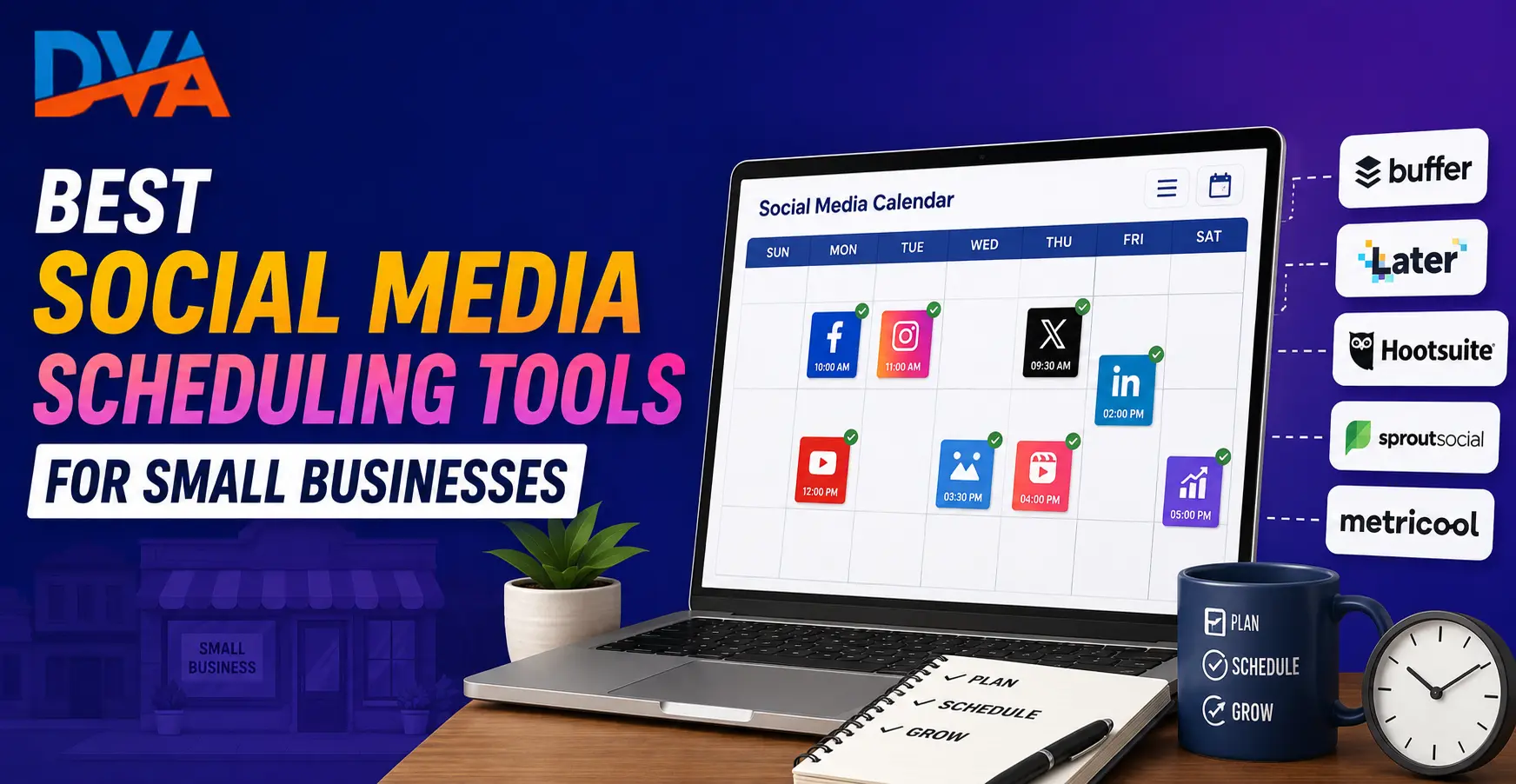
Why Small Businesses Need a Social Media Scheduling Tool
A social media scheduling tool saves time, builds posting consistency, and removes the pressure of going live in real time. Instead of posting every day, you batch-create a week of content in one session and let the tool publish it automatically. This is especially valuable for small business owners managing everything on their own.
Consistent posting is one of the most important factors in growing a social media presence. But showing up on Instagram at 7 pm every evening or remembering to post on LinkedIn on a Tuesday morning is hard when you are running a business.
Scheduling tools solve this in three practical ways:
- Time batching: Plan and schedule one to two weeks of content in a single sitting
- Best-time posting: Set posts to go out when your audience is most active, not when it is convenient for you
- Consistency: Never miss a posting day, even during your busiest periods
For small businesses in India managing their own social media, these tools are not just convenient. They are essential for competing with larger brands that have full marketing teams. Read our guide on social media marketing strategy for beginners to understand the full picture before choosing your tools.
Best Free Social Media Scheduling Tools
The best free social media scheduling tools are Meta Business Suite (for Facebook and Instagram), Buffer (3 channels), Later (Instagram-focused), and Publer. These free plans are enough for most small businesses starting out and do not require a monthly subscription to deliver real value.
1. Meta Business Suite (100% Free)
Meta Business Suite is the official free tool from Meta for scheduling Facebook and Instagram content. You can schedule posts, Stories, and Reels to both platforms from one dashboard. Because it comes directly from Meta, you get first-party insights, no API access issues, and direct access to boosting options.
Best for: Small businesses that focus on Facebook and Instagram.
Platforms: Facebook and Instagram only.
Access: Free at business.facebook.com with any Meta Business account.
2. Buffer (Free Plan)
Buffer is one of the most widely used social media scheduling tools available. The free plan connects up to 3 social media channels. It has a clean, simple interface that is easy for first-time users, and includes basic analytics to show which posts perform best.
Best for: Solopreneurs managing 2 to 3 platforms.
Platforms: Facebook, Instagram, LinkedIn, Twitter/X, Pinterest, TikTok.
Note: Check Buffer’s website for current free plan limits, as they may be updated.
3. Later (Free Plan)
Later is the most popular tool for Instagram scheduling. Its drag-and-drop visual calendar lets you see exactly how your Instagram grid will look before any post goes live. The free plan covers basic scheduling across Instagram, Facebook, TikTok, Pinterest, and Twitter/X.
Best for: Businesses where Instagram is the primary platform.
Platforms: Instagram, Facebook, TikTok, Pinterest, Twitter/X.
Note: Check Later’s website for current free plan post limits.
4. Publer (Free Plan)
Publer is an excellent all-in-one option that supports a wide range of platforms including Google Business Profile, YouTube, Threads, and LinkedIn alongside Facebook and Instagram. The free plan includes a useful set of scheduling features, and paid plans are more affordable than most competitors.
Best for: Businesses managing Google Business Profile alongside social media.
Platforms: Facebook, Instagram, LinkedIn, Twitter/X, TikTok, YouTube, Pinterest, Google Business Profile, Threads.
Note: Check Publer’s website for current free plan details.
5. Canva Content Planner
If you already use Canva to design your social media graphics, Canva’s built-in Content Planner lets you schedule posts directly from your designs. This removes the step of downloading and re-uploading images to another tool. It is available on both free and Pro Canva plans, with more platform connections on Pro.
Best for: Businesses that design their own content in Canva.
Platforms: Instagram, Facebook, LinkedIn, Twitter/X, Pinterest.
See our detailed guide on how to use Canva AI for social media marketing to get more from this tool.
Best Paid Social Media Scheduling Tools for Small Businesses
The paid tools that offer the best value for small businesses are Buffer’s paid plans, Later Pro, and Publer’s paid tier. These unlock unlimited channels, advanced analytics, team collaboration, and bulk scheduling. Hootsuite is well-known but its pricing targets agencies rather than small businesses on tight budgets.
Buffer Pro
Buffer’s paid plans unlock more channels, more queued posts, and detailed analytics. It stays simple and affordable compared to enterprise tools. If you are outgrowing the free plan, Buffer Pro is the natural next step with no steep learning curve.
Later Pro
Later Pro adds unlimited posts, Stories scheduling, link-in-bio tools, and advanced Instagram analytics. If your business relies heavily on Instagram Reels and Stories, Later Pro gives you the most control over that platform. Read our guide on using Reels for business marketing to get the most out of this combination.
Rated by Students
4.9/5 Rating. 500+ Students Trust Digital Vishnu Academy for Their Career
Practical training. Real projects. Placement assistance that actually works.
Publer Pro
Publer’s paid tier is competitively priced and unlocks all platforms, unlimited accounts, AI caption assistance, link shortening, and team collaboration. For small businesses managing multiple platforms and team members, it is one of the most cost-effective options available.
Hootsuite
Hootsuite is one of the oldest and most recognised social media management platforms. However, it removed its free plan in 2023, and its current pricing targets agencies and medium-to-large businesses rather than small businesses on a tight budget. If you manage multiple brand accounts with a dedicated marketing team, it is worth evaluating. Otherwise, Buffer, Later, or Publer will serve small businesses better at a lower cost.
Comparison Table: Social Media Scheduling Tools Side by Side
| Tool | Free Plan | Key Platforms | Best For |
|---|---|---|---|
| Meta Business Suite | Yes (fully free) | Facebook, Instagram | Beginners, FB + IG focus |
| Buffer | Yes (3 channels) | Instagram, Facebook, LinkedIn, Twitter, TikTok, Pinterest | Solopreneurs, clean UI |
| Later | Yes (limited posts) | Instagram, TikTok, Facebook, Pinterest, Twitter | Instagram-first brands |
| Publer | Yes (limited) | Facebook, Instagram, LinkedIn, Twitter, TikTok, YouTube, Google Business, Threads | All-in-one small business |
| Canva Planner | Yes (limited) | Instagram, Facebook, LinkedIn, Twitter, Pinterest | Design + schedule in one place |
| Hootsuite | No (paid only) | Facebook, Instagram, LinkedIn, Twitter, YouTube, TikTok | Agencies, larger teams |
Platform support and plan limits may change. Always check each tool’s official website for the latest pricing and features.
Which Social Media Scheduling Tool Is Best for Indian Small Businesses?
For most Indian small businesses, the right tool depends on two things: which platforms you use and whether you have a team. Start with Meta Business Suite if Facebook and Instagram are enough. Use Buffer or Publer if you also manage LinkedIn or TikTok. Move to a paid plan only when your content volume or team size justifies the cost.
Here is a simple decision guide:
You only post on Facebook and Instagram: Start with Meta Business Suite. Free, official, and has everything a beginner needs.
You manage LinkedIn alongside Instagram and Facebook: Use Buffer’s free plan. Three channels covers all three platforms.
Instagram Reels and Stories are your main content: Try Later. Its visual calendar makes Instagram management significantly easier.
You also manage Google Business Profile or YouTube: Publer is your best option since it supports both alongside all major social platforms.
You have a small team sharing content responsibilities: Move to a paid plan on Buffer, Later, or Publer. Paid plans unlock collaboration so multiple team members can work without sharing login credentials.
To understand what kind of content works on each platform, read our guide on what is social media marketing and how it works.
Key Features to Look for in a Social Media Scheduling Tool
A good social media scheduling tool must support your active platforms, offer auto-publishing without manual confirmation, show a visual content calendar, and provide basic analytics. Team collaboration, bulk uploading, and a mobile app are strong bonuses as your content volume grows.
- Platform coverage: Supports every platform you actively use
- Auto-publishing: Posts go live automatically without you needing to approve them at the scheduled time
- Visual calendar: A monthly or weekly calendar view helps you spot content gaps before they happen
- Basic analytics: Shows reach, engagement, and best-performing posts at minimum
- Mobile app: Lets you schedule or approve posts from your phone on the go
- Bulk upload: Upload multiple posts at once to save significant prep time
- Team access: Essential if more than one person manages your accounts
- Content library: Some tools let you store reusable captions, images, and hashtag groups
A scheduling tool works best alongside a proper content plan. Learn how to create one with our guide on building a social media content calendar for your business.
Common Mistakes to Avoid When Scheduling Social Media Posts
The most common mistake is treating a scheduling tool as a set-and-forget system. You still need to respond to comments, monitor results, and update content when something is no longer relevant. Posting the same content on every platform without adapting it for each audience is another mistake that reduces reach and engagement.
Same content on every platform without adapting it: LinkedIn audiences expect professional insights. Instagram audiences want visual storytelling. Adapt captions and format even when the core message is the same.
Ignoring comments and messages after posts go live: Scheduling saves time but does not replace community management. Check comments regularly. Real conversations build real audiences.
Never reviewing analytics: Every tool provides some form of data. Check which posts get the most reach and engagement, then do more of what works and less of what does not.
Over-scheduling without content variety: Five promotional posts in a row will lose your audience. Mix educational, entertaining, and promotional content. A practical ratio is 3 to 4 informative posts for every 1 promotional post.
Spreading across too many platforms too soon: It is better to be consistent on two platforms than irregular on six. Start with the platforms where your audience actually spends time.
How to Get Started with Social Media Scheduling Today
Start by picking one tool and connecting your active platforms. Then batch-create 5 to 7 days of posts in one session and schedule them in advance. Review the results after two weeks and adjust. Once you see the time savings, you will never go back to daily posting one at a time.
Step 1: Choose your tool
Use the decision guide above. Most small businesses should start with Meta Business Suite or Buffer’s free plan.
Step 2: Connect your platforms
Link your Facebook, Instagram, and other accounts. Grant the necessary permissions during the setup process.
Step 3: Plan your content for the next 7 days
Write captions, prepare images, and decide on posting times. Check your platform analytics to see when your audience is most active, or use the platform’s recommended posting time suggestions as a starting point.
Step 4: Schedule and let it run
Upload your content to the tool, set the dates and times, and confirm. The tool handles publishing from there.
Step 5: Review and improve
After the first week, check your analytics. Look at what got the most reach and engagement. Repeat what works and drop what does not.
Want to learn how to use all of these tools as part of a complete social media marketing strategy? Digital Vishnu Academy’s social media marketing course in Coimbatore covers scheduling tools, content planning, Meta Ads, and more with hands-on practical training.
Related Guides You Might Like
Frequently Asked Questions
What is the best free social media scheduling tool?
Meta Business Suite is the best free social media scheduling tool for businesses that focus on Facebook and Instagram. It is 100% free, officially from Meta, and includes scheduling, analytics, and ad management in one place. For businesses on more platforms, Buffer’s free plan is the next best option with support for up to 3 channels.
Can I schedule Instagram posts for free?
Yes. Meta Business Suite lets you schedule Instagram posts and Reels for free with no time limit. Later and Buffer also offer free plans that include Instagram scheduling. Auto-publishing support for Instagram Reels may vary depending on the tool and your account type, so check each tool’s documentation for the latest details.
Is Hootsuite free to use?
No. Hootsuite removed its free plan in 2023 and is now a paid-only tool. For small businesses looking for a free alternative, Meta Business Suite, Buffer, or Publer are better starting points. Hootsuite’s pricing makes it better suited to agencies and medium-sized businesses with larger marketing budgets.
How many social media platforms should a small business be active on?
Start with two platforms maximum. Focus on where your target audience actually spends time. For most Indian small businesses, Instagram and Facebook are the most important starting points. LinkedIn is essential for B2B businesses. Managing five or six platforms at once leads to inconsistent, low-quality content that does not grow an audience.
What is the best time to post on Instagram in India?
The best posting times depend on your specific audience. As a general starting point, mornings between 7 am and 9 am and evenings between 6 pm and 9 pm tend to see higher engagement from Indian audiences. Use the Audience Insights tab in your Instagram account or your scheduling tool’s analytics to find the times your own followers are most active.
Do social media scheduling tools support Instagram Reels?
Yes, most modern scheduling tools support Instagram Reels. Meta Business Suite, Later, and Buffer all allow you to schedule Reels in advance. Some tools may send a mobile notification at the scheduled time requiring you to confirm the post rather than fully auto-publishing, depending on Instagram API restrictions. Check your chosen tool’s help documentation for the current Reels scheduling status.
Are third-party social media scheduling tools safe to use?
Yes, established tools like Buffer, Later, Publer, and Meta Business Suite are safe and widely used by businesses worldwide. They connect to your accounts through official API permissions granted by Meta, LinkedIn, and other platforms. Always use well-known, established tools and avoid unknown third-party apps that ask for more account permissions than the task requires.
