
Key Takeaway
An on-page SEO checklist covers every element you control directly on a webpage to help Google understand, index, and rank it correctly. This includes your title tag, meta description, URL slug, heading structure, keyword placement, image alt text, internal links, content quality, and page speed. Work through each step before publishing any new page and use it as a regular audit tool for existing pages that are not ranking as expected.
Most websites that struggle to rank are not failing because of complicated algorithm mysteries. They are failing because the basics on each page are wrong, incomplete, or missing entirely. A title tag that does not match the search query. A page with no clear heading structure. Images with no alt text. Slow load times on mobile. These are all on-page SEO problems, and every single one can be fixed without external help or paid tools.
This checklist covers the on-page SEO elements that matter for 2026, in the order you should address them. It works whether you are optimising a new post before publishing or auditing an old page that has stopped performing. Each step explains what to do, why it matters, and what to avoid. Work through the list systematically and every page you publish will start from a stronger technical and content foundation.
If you want to understand the broader context of what on-page SEO is and how it fits into the full SEO picture, read our complete beginner guide to what SEO is and how it works before using this checklist.
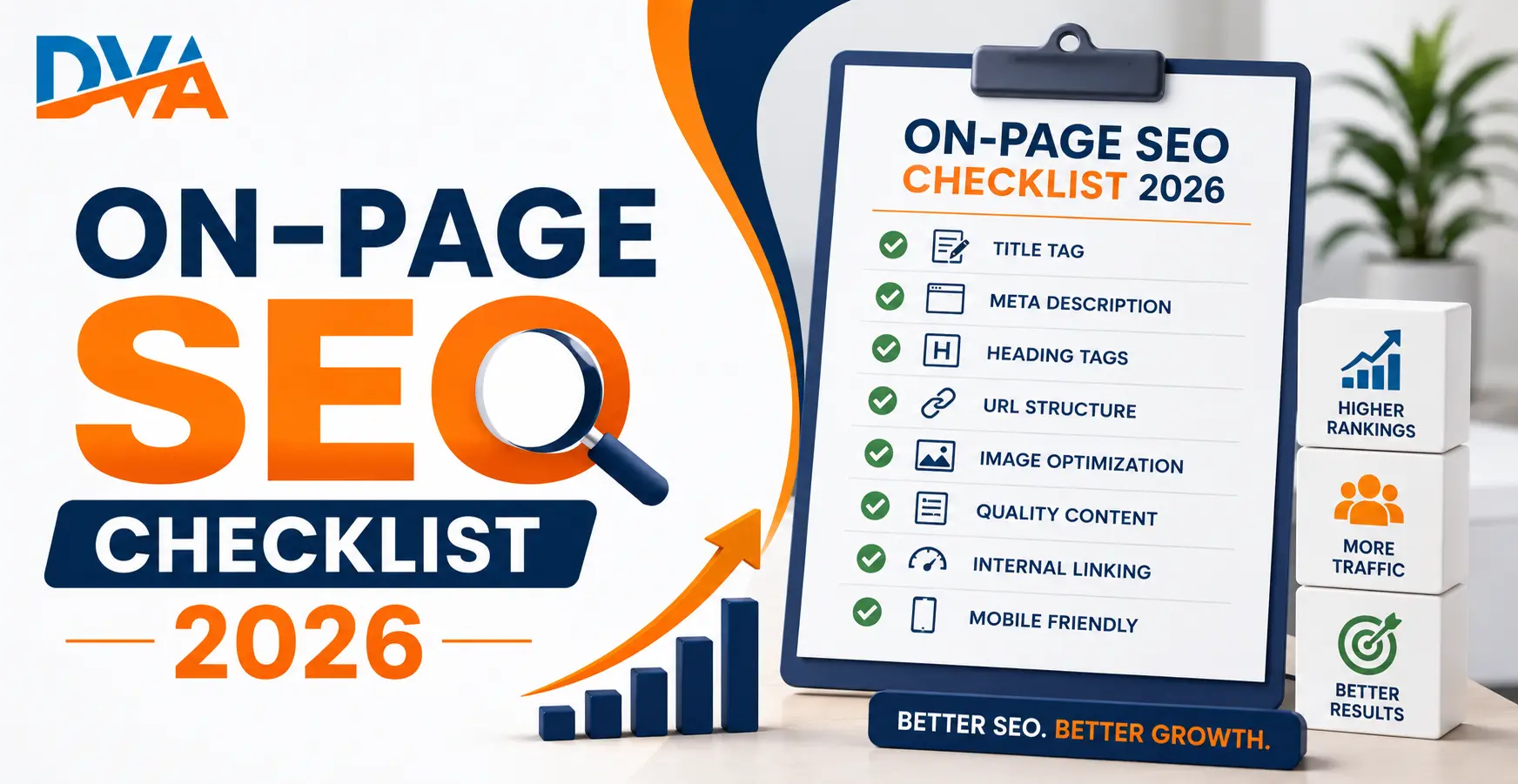
Step 1: Keyword Research and Search Intent Match
Before you write a single word, confirm which keyword you are targeting and whether your planned content actually matches what people searching that keyword want to find. On-page SEO applied to the wrong keyword or the wrong content format is wasted effort. Google ranks the content that best matches search intent, not just the content that includes the most keyword mentions.
Identify one primary keyword for each page or post. A page should target one clear topic, not ten different keywords. Use free tools like Google Search itself to understand intent: type your target keyword into Google and look at what type of content appears in the top results. Are the results blog posts, product pages, how-to guides, or comparison pages? Your content format should match what is already ranking because that format is what Google has determined searchers want for that query.
Check your keyword for search volume and competition using Google Keyword Planner, Google Search Console, or a paid tool like Ahrefs or SEMrush. Prioritise long-tail keywords with specific intent for new or low-authority pages. Generic high-volume keywords are extremely competitive and take much longer to rank for without significant domain authority behind them.
Checklist items for Step 1:
- One primary keyword identified per page
- Search intent confirmed by reviewing the top 5 existing results for that keyword
- Content format matches what is already ranking (guide, list, product page, etc.)
- Keyword has realistic search volume for your current domain authority
Step 2: Title Tag Optimisation
Your title tag is the blue clickable headline that appears in Google search results. It is one of the most important on-page SEO signals Google uses to understand what a page is about. Include your primary keyword near the beginning of the title tag, keep it between 50 and 60 characters to avoid truncation in search results, and write it to earn the click, not just to satisfy the algorithm.
Google has the ability to rewrite title tags that are too long, too keyword-heavy, or that do not match the page content. According to Google Search Central documentation on title links, Google generates the title link shown in results from the page content itself when it determines the HTML title tag is a poor match. The best protection against this is writing a clear, accurate, user-focused title that naturally includes your primary keyword.
Checklist items for Step 2:
- Primary keyword appears in the title tag, ideally near the beginning
- Title tag is between 50 and 60 characters (check in your SEO plugin character counter)
- Title is written to earn a click, not just to stuff keywords
- Title accurately describes the page content
- No duplicate title tags across the site
Step 3: Meta Description That Earns the Click
The meta description is the short summary below the title in Google search results. It does not directly affect rankings, but it significantly affects click-through rate. A clear, specific meta description that tells the searcher exactly what they will get by clicking your result earns more clicks than a vague or generic one. Keep it between 140 and 160 characters and include your primary keyword naturally.
Google often rewrites meta descriptions when it determines the written version does not match the searcher’s query well. Writing an accurate, benefit-focused meta description reduces the chance of this rewrite and gives you control over what searchers see. Every page should have a unique meta description. Pages without one force Google to pull any snippet from the page content, which may not be the impression you want to give.
Checklist items for Step 3:
- Meta description is between 140 and 160 characters
- Primary keyword appears naturally in the meta description
- Meta description explains what the page offers and who it helps
- Every page has a unique meta description
- No keyword stuffing in the meta description
Step 4: URL Slug Optimisation
Your URL slug is the part of the web address that comes after your domain name. A clean, descriptive URL slug that includes your primary keyword helps Google and users understand what the page is about before they click. Keep slugs short, use lowercase letters, separate words with hyphens, and remove all stop words like “and,” “the,” “for,” and “of” that add length without adding meaning.
Avoid URL slugs that contain dates, random numbers, or session identifiers. These add length and reduce the clarity of your URL for both search engines and users. Once a page is published and indexed, avoid changing the URL without setting up a 301 redirect from the old URL to the new one. Changing URLs without redirects loses any ranking signals the original URL had accumulated.
Checklist items for Step 4:
- Primary keyword included in the URL slug
- URL is short, lowercase, and uses hyphens between words
- Stop words removed from the slug
- No dates, numbers, or random characters in the URL
- 301 redirect in place if an existing URL was changed
Step 5: Heading Structure — H1, H2, and H3
Every page should have exactly one H1 tag containing or closely reflecting the primary keyword. H2 tags are used for the main sections of the page. H3 tags break down subsections within each H2. This hierarchy helps Google understand your page structure and helps readers navigate long content quickly. Never skip heading levels, such as jumping from H1 directly to H3, as this breaks both the logical structure and the signals Google reads from your heading hierarchy.
Ready to start?
Learn Digital Marketing with Live Projects at Digital Vishnu Academy, Coimbatore
SEO, Google Ads, Social Media, AI Tools and more. Job-ready in 3 months.
Include your primary keyword in the H1 tag. Use secondary keywords and semantic variations naturally in H2 headings, only when they fit the section topic genuinely. Question-format headings in H2 and H3 positions work particularly well for capturing featured snippets and People Also Ask placements, because they match the exact format of user queries.
Checklist items for Step 5:
- Exactly one H1 tag per page, containing or reflecting the primary keyword
- H2 tags used for all main sections
- H3 tags used for subsections within H2 sections
- No skipped heading levels
- No heading used purely for visual styling instead of content structure
Step 6: Keyword Placement and Content Quality
Place your primary keyword in the first paragraph of the page, ideally within the first 100 words. Use it again naturally in the body content and in the conclusion. Do not force it into every paragraph. Google looks for natural language patterns and semantic relevance, not keyword density. A page that uses related terms, synonyms, and topic-relevant vocabulary alongside the primary keyword demonstrates deeper topical coverage than a page that simply repeats the exact keyword phrase many times.
Content quality in 2026 means answering the searcher’s question completely, with more accuracy and genuine usefulness than the current top results. Thin content, which means a page that barely touches the topic it claims to cover, is one of the most common reasons pages fail to rank or lose positions over time. Each page should have enough depth to fully satisfy the intent of the target search query without padding word count with filler sentences.
Watch this video to understand how building topical authority through comprehensive content directly improves your page rankings across an entire topic cluster:
Checklist items for Step 6:
- Primary keyword appears within the first 100 words
- Primary keyword used again in the conclusion
- Semantic and related terms used naturally throughout the content
- Content fully answers the target search query
- No keyword stuffing or unnatural repetition
- Minimum word count appropriate for the topic depth required
Step 7: Image Optimisation — Alt Text, Filename, and Compression
Every image on a page should have an alt text attribute that describes the image accurately using relevant keywords. Alt text serves two purposes: it tells screen readers what the image shows for users who cannot see it, and it tells Google what the image is about since search engines cannot see images directly. Additionally, compress every image before uploading it and use modern formats like WebP to reduce file size without visible quality loss, which directly improves page load speed.
Name your image files descriptively before uploading them. A file named digital-marketing-course-coimbatore.webp gives Google useful context about the image before it even reads the alt text. A file named IMG_4523.jpg gives no context at all. Use your primary keyword in the image filename and alt text where genuinely relevant, but write alt text that describes the image accurately first and uses the keyword secondarily.
Checklist items for Step 7:
- Every image has a descriptive alt text attribute
- Image filenames are descriptive and keyword-relevant before upload
- All images compressed to reduce file size (use WebP format where possible)
- No keyword stuffing in alt text
- Decorative images use an empty alt attribute (alt=””)
Step 8: Internal Linking
Internal links connect pages within your own website. They help Google discover new pages, understand the relationships between your content, and determine which pages are most important based on how many other pages link to them. For readers, they create logical navigation paths that keep users engaged with your content. Add 3 to 5 relevant internal links to every new page, using descriptive anchor text that tells both users and Google what the linked page is about.
Never use generic anchor text like “click here” or “read more.” These phrases give Google no information about what the linked page covers. Instead, use anchor text that describes the topic of the destination page, such as “complete guide to on-page SEO techniques” or ”how Google Business Profile helps local businesses rank.” This descriptive anchor text passes semantic signals to the linked page and improves its ranking relevance for the terms in the anchor text. Learn more about how SEO fundamentals apply to Tamil Nadu businesses and beginners starting their optimisation journey.
Checklist items for Step 8:
- 3 to 5 relevant internal links added to every page
- All anchor text is descriptive and topic-relevant
- No generic anchor text used (click here, read more, this page)
- Internal links added to existing pages pointing to the new page
- No broken internal links
Step 9: Page Speed and Core Web Vitals
Page speed is a confirmed Google ranking factor, and Core Web Vitals are the specific speed and user experience metrics Google uses to evaluate page performance. The three Core Web Vitals are Largest Contentful Paint (LCP), which measures how fast the main content loads; Interaction to Next Paint (INP), which measures how quickly the page responds to user input; and Cumulative Layout Shift (CLS), which measures how much the page layout shifts unexpectedly during loading. Google publishes the recommended thresholds for each metric in its Core Web Vitals documentation.
Check your page speed using Google PageSpeed Insights or Google Search Console’s Core Web Vitals report. Common causes of slow page speed include uncompressed images, unused JavaScript and CSS files, no browser caching, and no content delivery network in use. Most WordPress websites can achieve significant speed improvements through image compression, a caching plugin, and using a lightweight theme without heavy visual builders.
Checklist items for Step 9:
- Page loads in under 3 seconds on mobile (check in Google PageSpeed Insights)
- LCP score is under 2.5 seconds
- CLS score is under 0.1
- INP score is under 200 milliseconds
- Images compressed and served in WebP format
- Caching enabled on the server or via a plugin
- No unused JavaScript or CSS blocking page render
On-Page SEO Checklist 2026: Quick Reference Table
| Checklist Item | What to Do | Priority |
|---|---|---|
| Keyword and intent | One primary keyword, intent confirmed by reviewing top results | Critical |
| Title tag | 50 to 60 characters, primary keyword near the start | Critical |
| Meta description | 140 to 160 characters, keyword included, unique per page | High |
| URL slug | Short, lowercase, hyphens, primary keyword included | High |
| H1 tag | One per page, contains or reflects primary keyword | Critical |
| H2 and H3 structure | Logical hierarchy, no skipped levels, semantic terms in H2s | High |
| Keyword in first paragraph | Primary keyword within first 100 words naturally | High |
| Content quality | Fully answers the target query, semantic terms used throughout | Critical |
| Image alt text | Descriptive alt text on every image, keyword-relevant filename | High |
| Internal links | 3 to 5 relevant links with descriptive anchor text | High |
| Page speed and Core Web Vitals | LCP under 2.5s, CLS under 0.1, images compressed | High |
Common On-Page SEO Mistakes to Avoid in 2026
Targeting a keyword without checking search intent. Writing a blog post for a keyword that Google shows product pages for means your content will rarely rank regardless of how well optimised it is. Always check the top results before writing to confirm your content format matches what Google is already ranking for that query.
Duplicate title tags and meta descriptions. Every page on your website must have a unique title tag and meta description. Duplicate titles confuse Google about which page to show for which query and reduce your ability to differentiate pages in search results. Run a regular crawl using Google Search Console or a free tool like Screaming Frog to identify duplicate tags across your site.
Changing URLs without 301 redirects. When you update a URL slug on an existing page that is already indexed, you must set up a 301 permanent redirect from the old URL to the new one. Without a redirect, the old URL returns a 404 error, any links pointing to it stop passing value, and users who click old links reach a dead page. This is one of the most common and damaging on-page SEO mistakes on established websites.
Using the same keyword on multiple pages. When two or more pages on your site target the same primary keyword, they compete against each other in Google’s results. This is called keyword cannibalization. Google may rank neither page strongly. Each page should have one unique primary keyword that no other page on your site targets with the same intent.
If you want to learn how to apply this full on-page SEO checklist to real websites with hands-on practice, the SEO course training in Coimbatore at Digital Vishnu Academy covers all these techniques with live project work on real websites.
Related Posts
Conclusion: Use This Checklist on Every Page You Publish
On-page SEO is not a one-time task. It is a standard that every page on your website should meet before it goes live and a diagnostic tool you apply to underperforming pages when their rankings are not where you expect them to be. The on-page SEO checklist 2026 in this guide covers every element that Google uses to evaluate and rank individual pages: keyword targeting, title tags, meta descriptions, URL slugs, heading structure, content quality, image optimisation, internal linking, and Core Web Vitals.
Work through the checklist before publishing each new page. Revisit it quarterly for your most important existing pages. Track your progress in Google Search Console and notice which improvements correlate with ranking changes. On-page SEO is one of the clearest cause-and-effect relationships in digital marketing, and the results of doing it systematically and consistently are visible in your organic traffic data over time.
If you want expert training on applying on-page SEO to real websites with live feedback, enroll in the digital marketing course at Digital Vishnu Academy in Coimbatore and learn SEO with hands-on projects from day one.
This list covers the on-page side only. For the full picture, use our complete SEO checklist for beginners and the technical SEO checklist.
Frequently Asked Questions About On-Page SEO
What is on-page SEO and what does it include?
On-page SEO refers to all the optimisation work done directly on a webpage to help search engines understand and rank it correctly. It includes the title tag, meta description, URL slug, H1 and heading structure, keyword placement in content, image alt text and filenames, internal links, content quality and depth, and technical performance factors like page speed and Core Web Vitals. All of these elements are under your direct control, unlike off-page SEO which involves external signals like backlinks.
How many keywords should I target on one page?
Target one primary keyword per page. You can naturally include secondary keywords and semantic variations throughout the content, but the page should have one clear primary topic it is optimised for. Trying to target multiple unrelated keywords on a single page dilutes the focus of the content and reduces its ability to rank strongly for any single query. Each distinct keyword intent should have its own dedicated page on your website.
Does the title tag still matter for SEO in 2026?
Yes. The title tag remains one of the most important on-page SEO signals. It is the primary signal Google uses to understand the topic of a page and it is what appears as the clickable headline in search results. A well-written title tag with your primary keyword near the beginning, kept between 50 and 60 characters, directly affects both your ranking relevance for that keyword and the click-through rate you earn from search results.
What are Core Web Vitals and why do they matter for on-page SEO?
Core Web Vitals are three specific page performance metrics that Google uses as ranking signals: Largest Contentful Paint (LCP), which measures main content load speed; Interaction to Next Paint (INP), which measures page responsiveness; and Cumulative Layout Shift (CLS), which measures visual stability. Google confirmed these as ranking factors in its page experience update. Pages that score well on Core Web Vitals provide a better user experience and are given a ranking advantage over comparable pages that score poorly.
How often should I review on-page SEO for existing pages?
Review on-page SEO for your most important pages at least every three to six months. Check Google Search Console to identify pages where impressions are high but clicks or rankings have declined, as these are strong indicators that on-page elements need updating. Additionally, revisit any page when you update its content significantly, change its URL, or when a major Google algorithm update affects its ranking position. On-page SEO is not a one-time task for set-and-forget pages.
